Private PDF Signer

Your PDF. Your signature.
On your device.

Sign PDFs, add text, dates, and covers, then save or share.On iPhone and iPad. Mac is coming soon.

Supports iPhone, including iPhone Duo, and iPad.
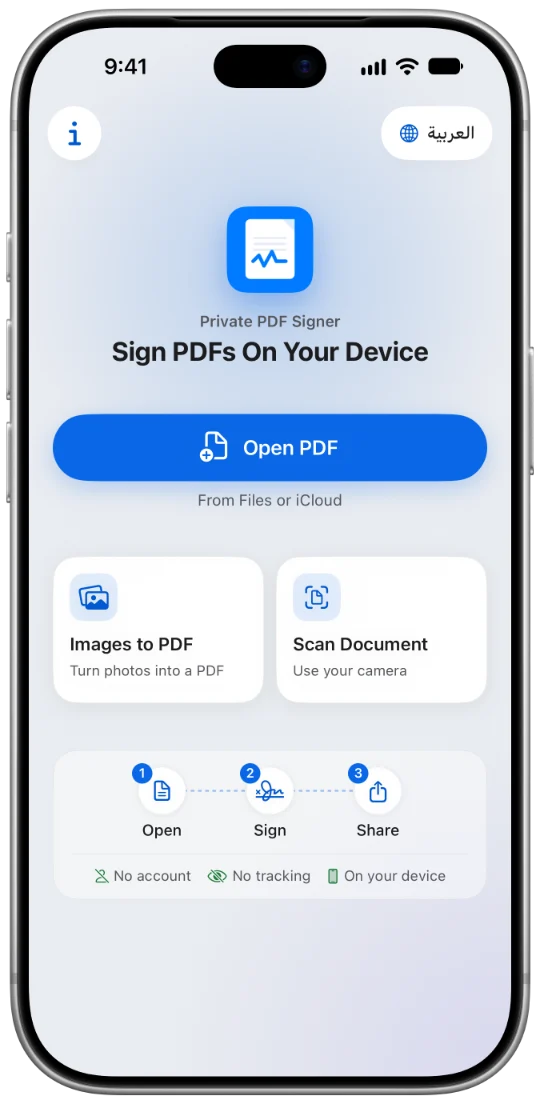
The Private PDF Signer home screen on iPhone: Open PDF, and the steps open, sign, share.

Mac

More room. The same care for privacy.

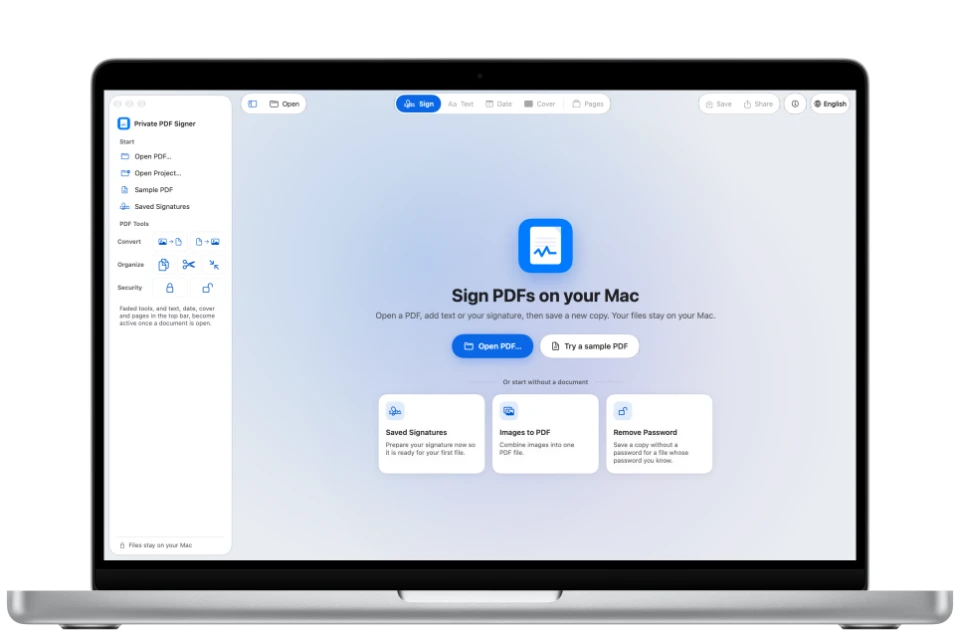
The start page of Private PDF Signer Desktop on a MacBook Pro.
Simply

Open. Sign. Share.

01

Open.

Choose a PDF from Files or iCloud.

Open, sign, share, on your device.

02

Sign.

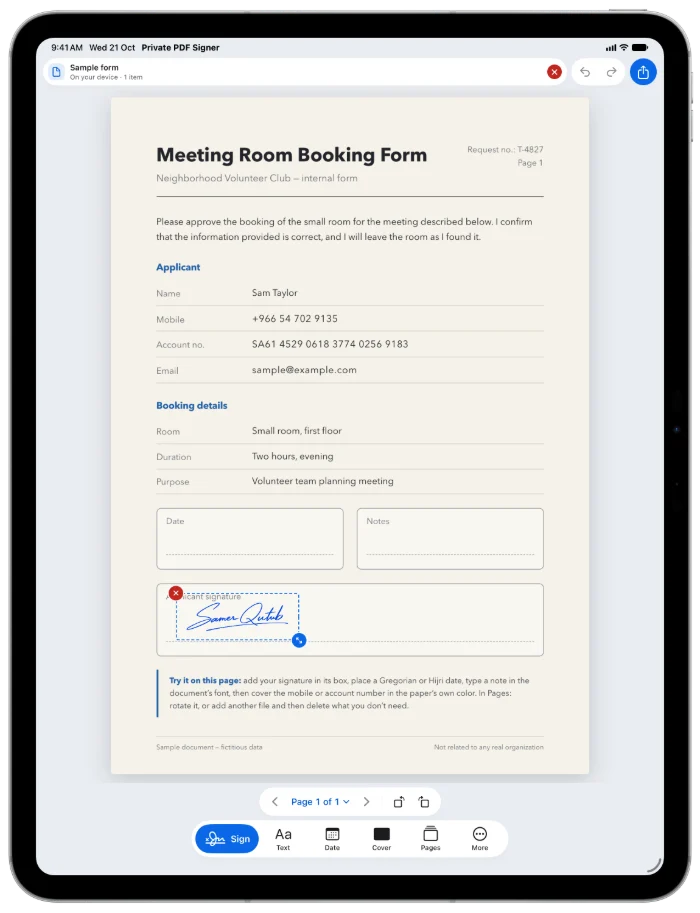
Place your signature in its box on the page.

Sign with your finger, and resize from the corner.

03

Date it.

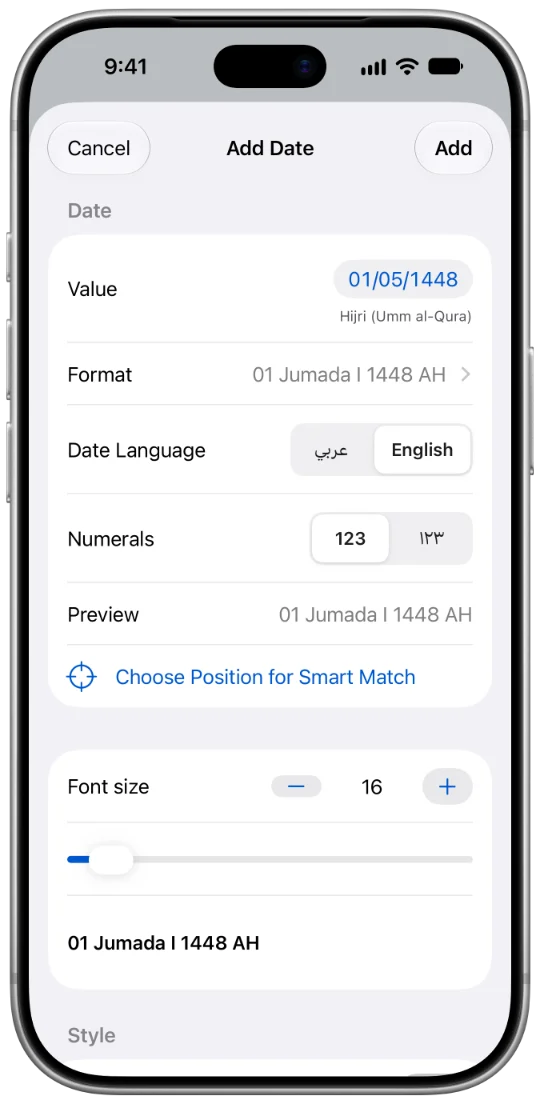
Gregorian or Hijri, in Arabic or English.

A Hijri or Gregorian date in the format you choose.

04

Cover.

Cover text or a field before you share the file.

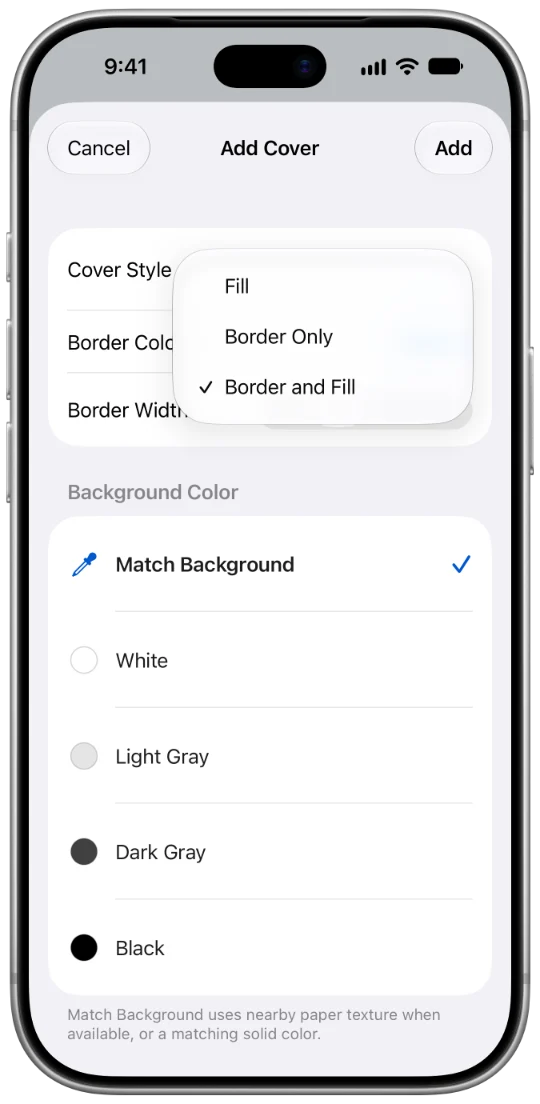
Fill, Border Only, or Border and Fill.
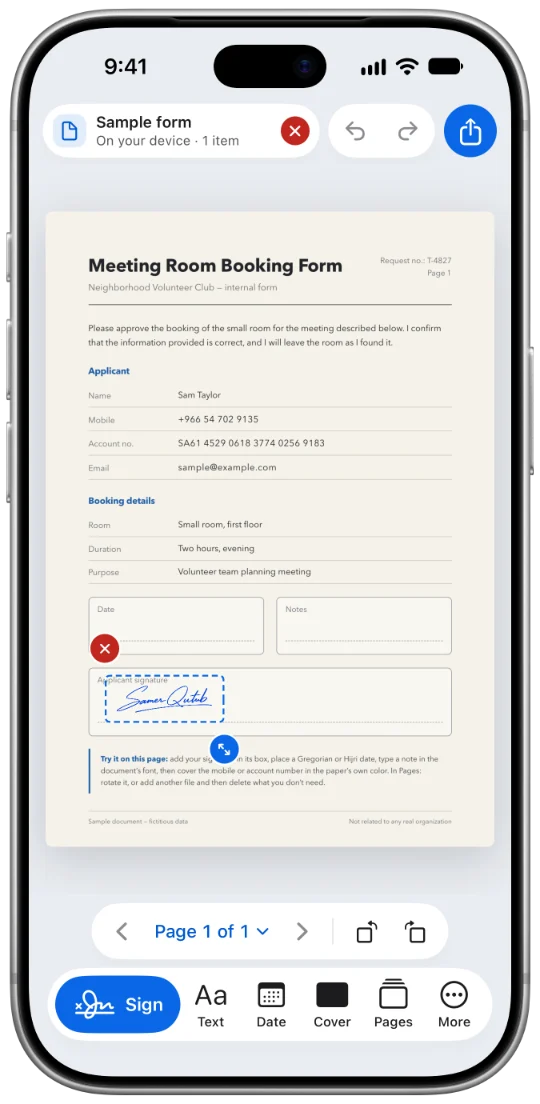
The home screen: Open PDF, and the steps open, sign, share.A selected signature in its box on a form, with a red delete button and a resize handle.The Add Date sheet: the value in the Hijri calendar, format, language, and numerals.The Add Cover sheet with its three styles.
Privacy

Your documents are processed on your device. You don't need an account with us, and we don't upload your files to a server we operate for processing. No ads. No tracking tools.

No accountNo trackingOn your device

Read the privacy policy

A few numbers.
All of them clear.

2

Calendars for dates: Gregorian and Hijri.

3

Cover styles: Fill, Border Only, or Border and Fill.
5

Free exports to start, for the other Mac tools.

49.99

One purchase opens every Mac tool. No subscription.

Mac.

Signing, merging, and organizing pages are always free, with no limit.
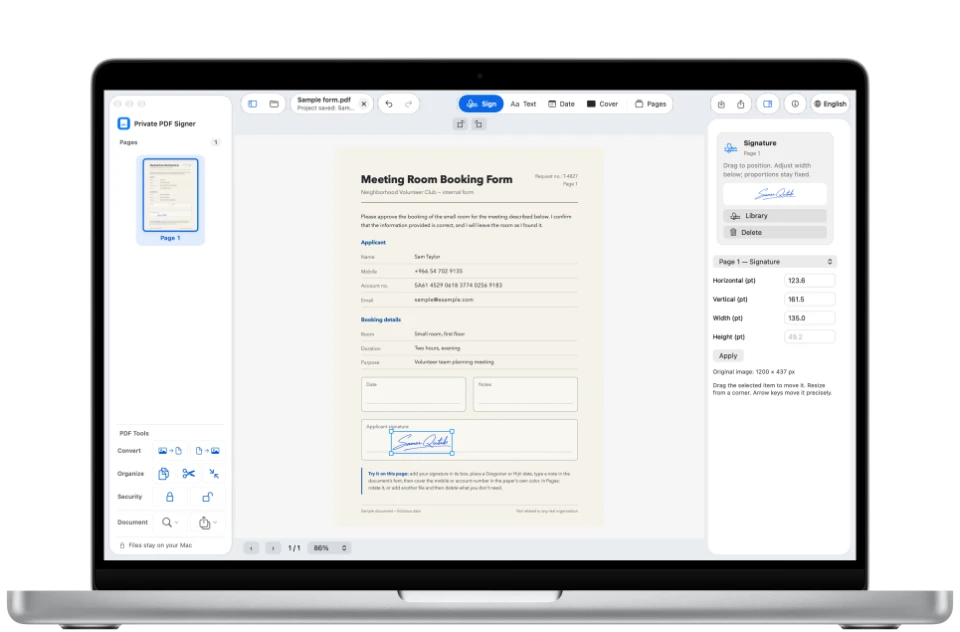
A signature in the applicant signature box in Private PDF Signer Desktop on a MacBook Pro.
Which is right for you?

Two apps.
The same privacy.

The Private PDF Signer home screen on iPhone.

iPhone and iPad

Sign wherever you are, on iPhone Duo too.

The start page of Private PDF Signer Desktop on a MacBook Pro.

Mac

For a larger workspace.

Coming soon to theMac App StoreLearn more
FreeSignatures, text, dates, covers, and export.
Always freeSigning, merging, and organizing pages.
ProPage and file tools, and camera scanning.
First 5 exports freeFor the other tools, then Full Unlock.
From 4.99a month. Or 24.99 a year, or 59.99 lifetime.
49.99One-time purchase, no subscription.
No account with usProcessed on your device.

Each app is purchased separately. The App Store shows the price and purchase terms before you confirm. Saudi App Store prices.

Your next PDF, ready to sign.

Download on the App StoreComing soon to theMac App StoreExplore MacSupport and questions
Back to top