Coming soon to the Mac App Store

Sign PDFs on your Mac, on your device.

No account, no server. Open a file, place your signature, and save it as a PDF. Signing and merging are always free.
Coming soon to the Mac App StoreExplore the tools
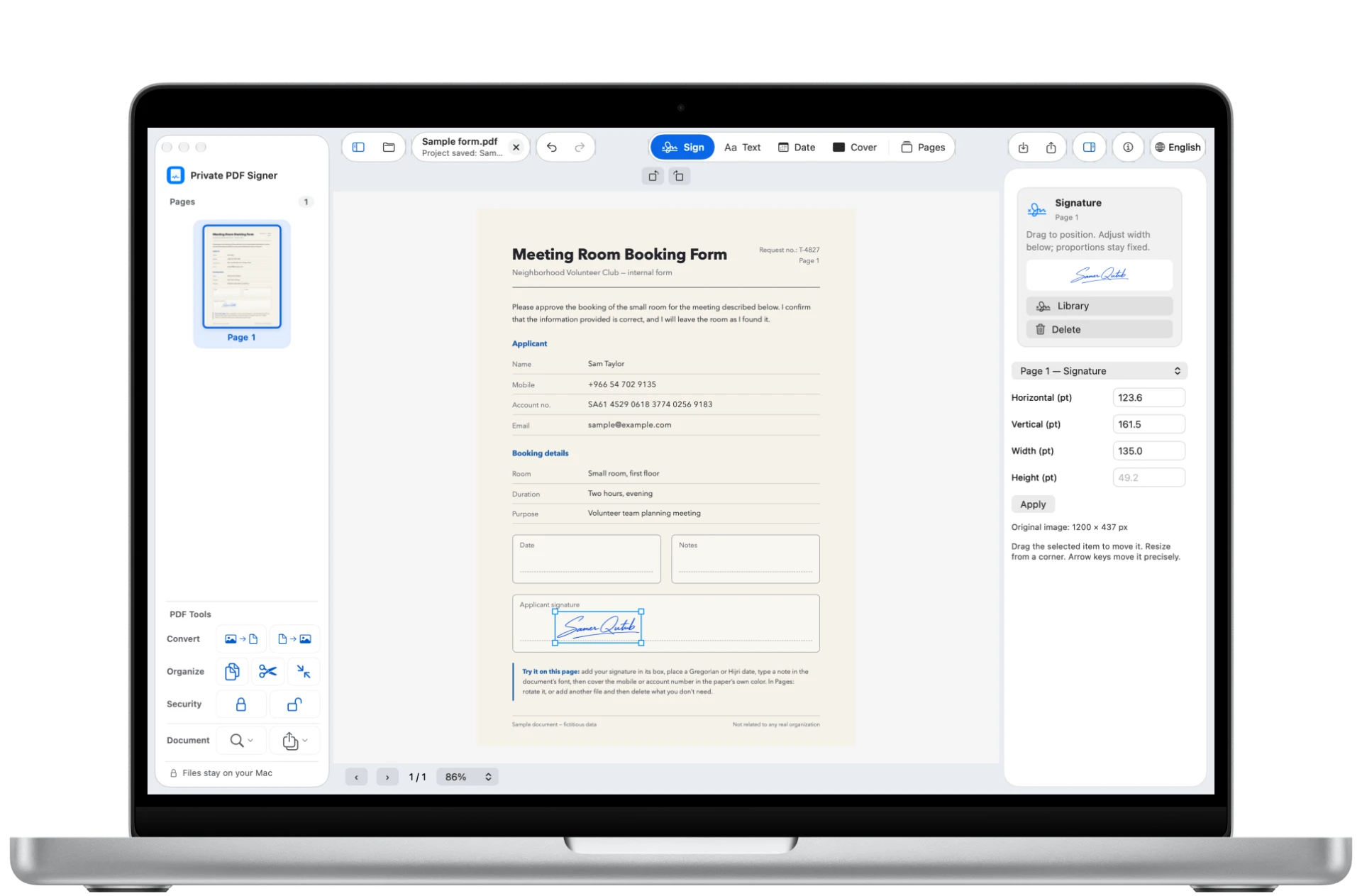
Private PDF Signer for Mac on a MacBook Pro: a booking form with a signature in its box.

Always free, with no limit

Signing, merging, and organizing pages.
A Mac workspace for your documents

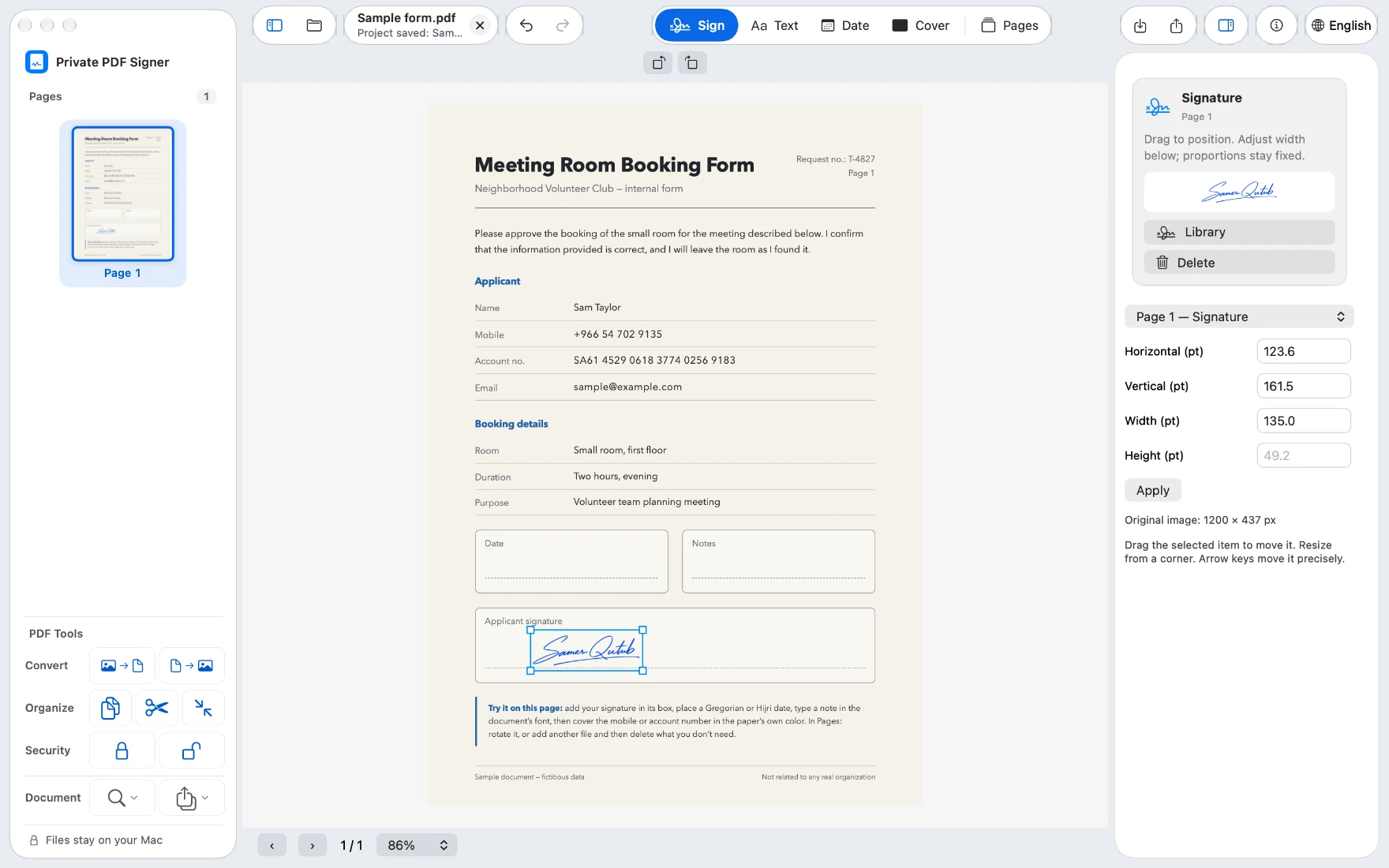
Signatures

  • Draw your signature, import a picture of it, or use a saved one.
  • Remove the white background from a signature picture before placing it.
  • Saved signatures stay on this Mac.
A selected signature in the signature box, with its properties panel.

Text and dates

  • Add text and choose Match Document Style to bring it closer to the font around it. If the font isn't available, the app offers the closest font, or an approved font download with your consent.
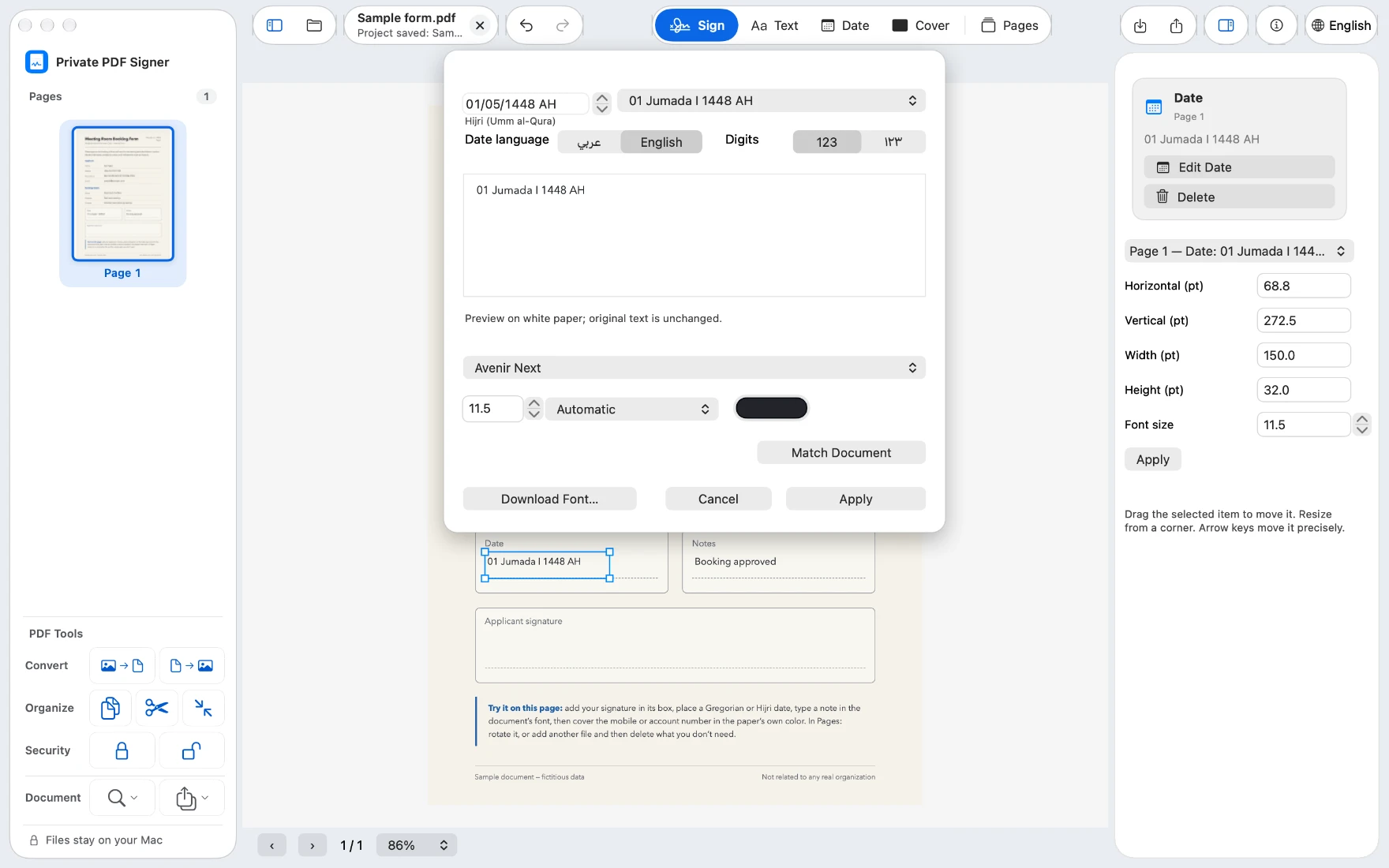
  • Add dates in Gregorian or Hijri, in several formats, in Arabic or English, with 123 or ١٢٣ digits.
A Hijri date in the document's font or the closest one, with the Date dialog open showing calendar, language, and digits.

Covers

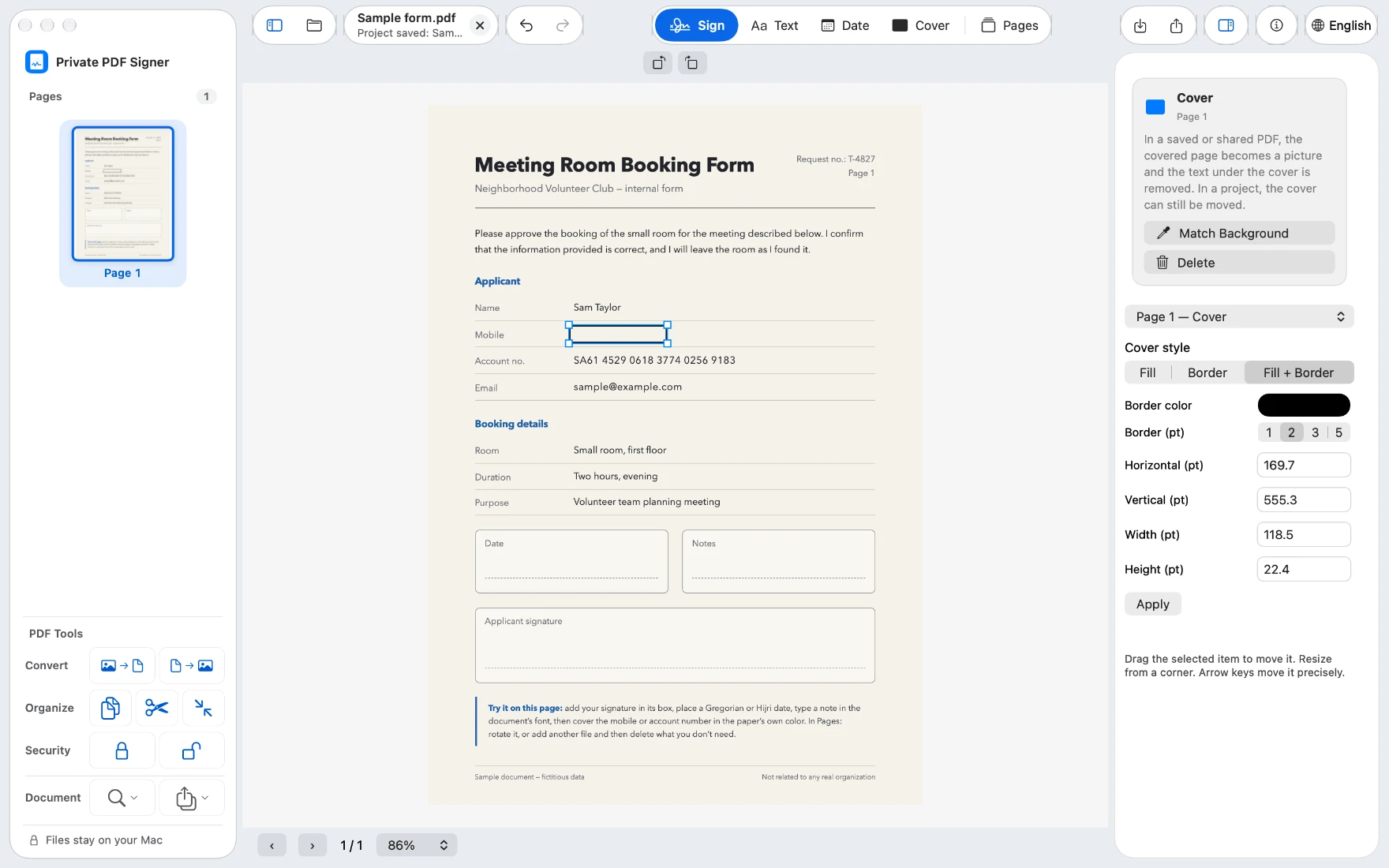
  • Cover text or a field, and choose Match Background so the cover takes its color from the page.
  • Three styles: Fill, Outline Only, or Outline with Fill. An outline alone hides nothing.
  • In the saved PDF, a covered page becomes an image, so the text under the cover is no longer in the file.
An Outline with Fill cover in the paper's color over a phone number, with the cover style panel.

PDF tools

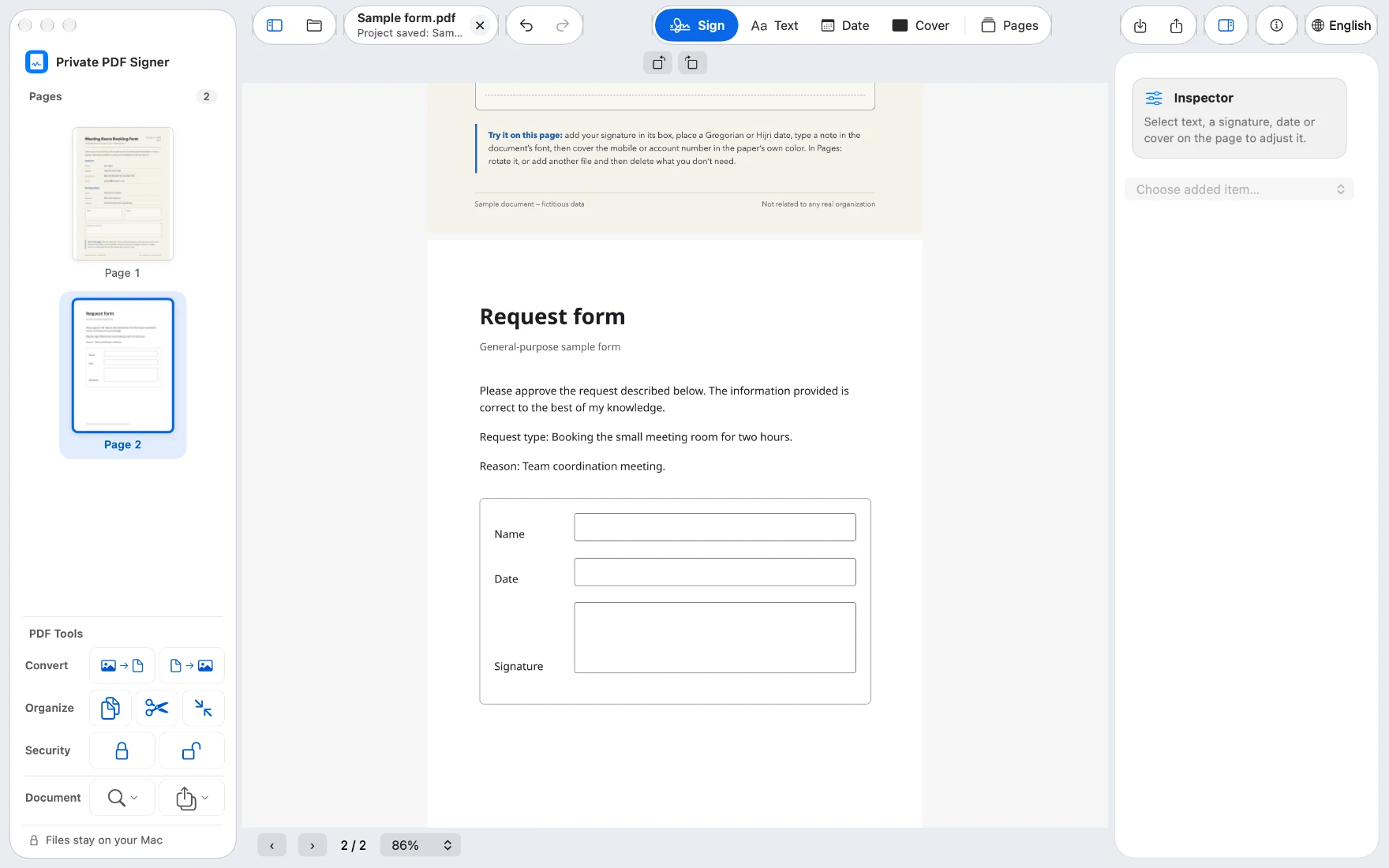
  • Merge PDFs, or open several files together from Finder with Open With and the app offers to merge them.
  • Split, compress, and organize pages.
  • Convert images to PDF, and PDF pages to images.
  • Protect a PDF with a password, or remove the password from a file you own after entering it.
  • Print (⌘P), or save your work as a project and finish it later.
Two merged documents: two pages in the sidebar, and the PDF tools.

A PDF to send, a project to continue

Send the finished PDF, and keep a .pdsp project to finish editing later. A project keeps the original document in full, including what is under covers, and may open without a password even when the original was protected. Don't send it instead of the PDF, and store it somewhere safe.

Your file stays on your device

Your files and signatures are processed on your device. No account, and no server we upload your files to. A font is downloaded only when you press a Download button, and your document and its text are not sent for it; the font and its license are requested from their source, which may receive the usual connection information. Saved signatures do not sync through iCloud.

Read the full privacy policy
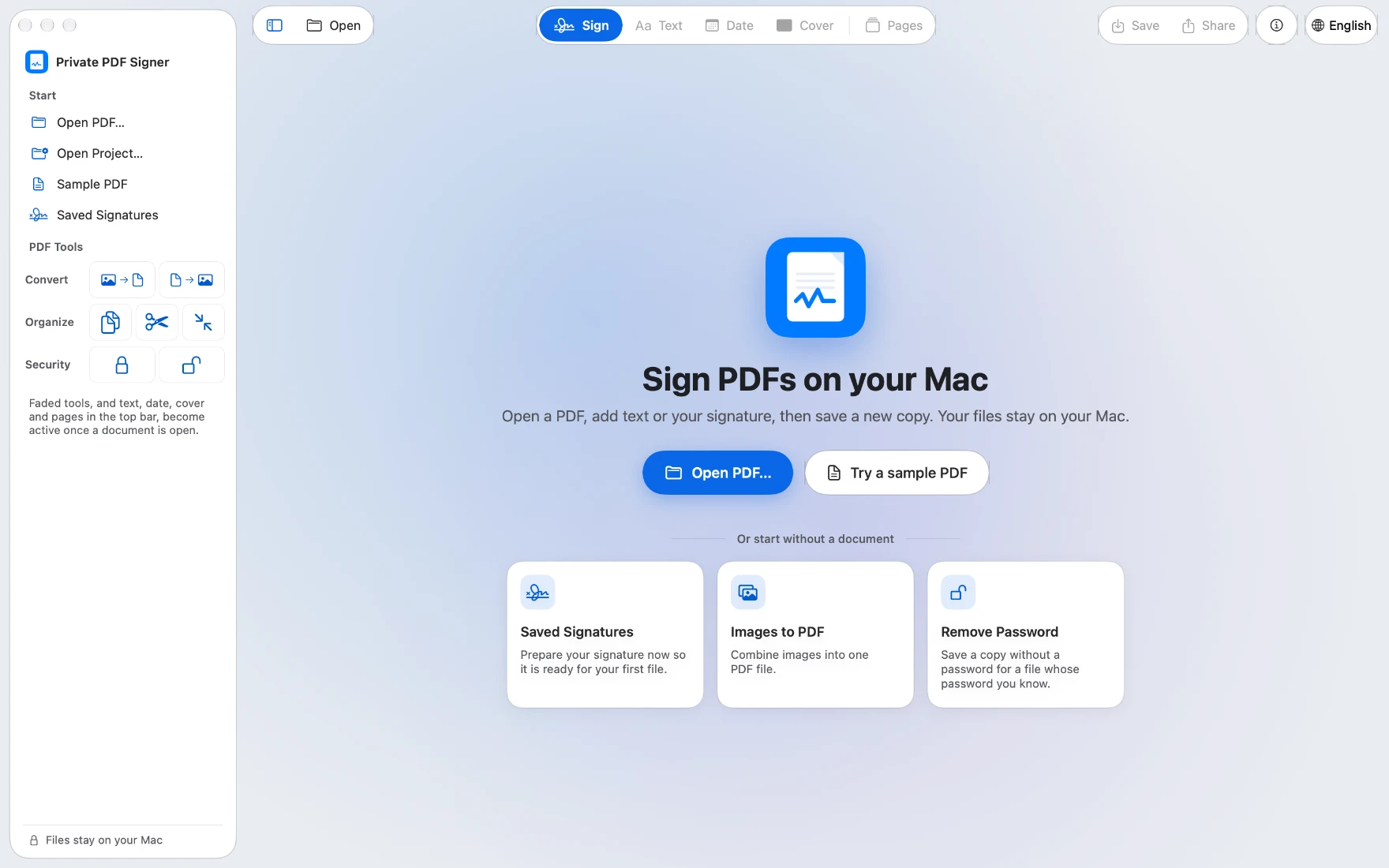
The start page: "Sign PDFs on your Mac", with Open PDF and Try a sample PDF.

Pay once, no subscription

Always free, with no limit: signing, merging, organizing pages, and exporting any document that has only signatures on it.

The other tools (text, dates, covers, split, compress, images, protect) are free for 5 documents. A document counts once, however often you save, share, or print it, and saving a project never counts.

After that, Full Unlock opens every tool with unlimited exports, in one purchase: SAR 49.99 on the Saudi App Store, no subscription. It supports Family Sharing, and the App Store shows the price in your currency before you confirm.

The Mac purchase is separate from Pro on iPhone and iPad.

Planned Saudi store price; it will be checked against the App Store at release.

About signatures

Important: signatures added by the app are visual marks on a PDF, not certificate-based digital signatures or identity verification.

Support and privacy

Sign your next PDF on your Mac.

Coming soon to the Mac App Store